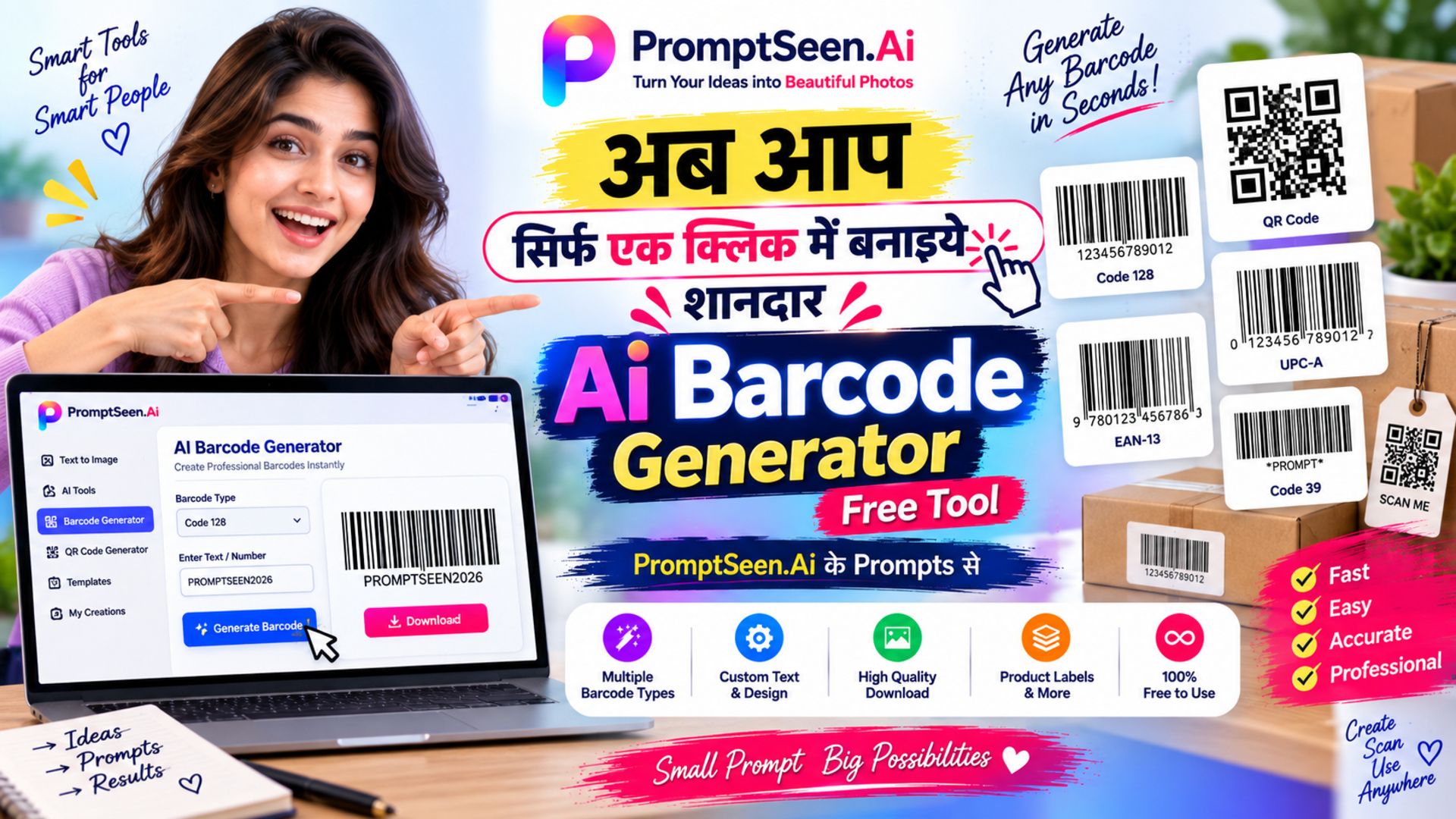
Making barcodes one by one is slow when you have a full stock list to label. This free barcode generator bulk tool lets you paste the whole list, pick a format and get every barcode in one click – Code 128, Code 39, EAN-13, UPC-A, ITF-14, MSI or QR Code.
It works as a simple barcode online generator on your phone or computer. Nothing is installed and nothing is uploaded: the barcodes are drawn inside your browser, then you download them as a ZIP or print them as labels.
Table of Contents
- 1. Barcode Generator Bulk: Many Barcodes at Once
- 2. How to Use This Barcode Bulk Generator
- 3. Barcode Generator 128 (Code 128)
- 4. Barcode 39 Generator (Code 39)
- 5. Barcode QR Code Generator
- 6. Barcode for Products: EAN-13, UPC-A & GS1
- 7. Download, Print Labels & Stickers
- 8. Barcode Online Scanner: Test Before You Print
- 9. Tips for Barcodes That Scan Every Time
- 10. FAQ – Barcode Generator Bulk
PromptBhai के साथ जुड़ें
रोज़ नए वायरल AI प्रॉम्प्ट, सबसे पहले आपके पास
1. Barcode Generator Bulk: Many Barcodes at Once
A normal barcode generator makes one image at a time. A barcode bulk generator takes a list instead – SKUs, invoice numbers, asset tags, roll numbers or links – and turns each line into its own barcode. That is the difference between an evening of copy-paste work and a job that is finished in a minute.
This tool creates up to 500 codes per batch. Lines that do not fit the chosen format are listed separately with their line number, so one wrong entry never stops the rest of your batch.
2. How to Use This Barcode Bulk Generator
- Add your codes: Paste a column from Excel or Google Sheets, type codes separated by commas, or use “Auto-create serial numbers” (for example SKU-0001 to SKU-0500).
- Pick a format: Code 128 for most uses, Code 39 for older systems, EAN-13 or UPC-A for retail, ITF-14 for cartons, or QR Code for links and text.
- Adjust the look: Bar width, height, colours and the human-readable text under the bars.
- Generate and save: Click “Generate All Barcodes”, then “Download All (ZIP)” or “Print Labels”.
Need only one code? Switch to the Single tab. It updates live as you type, which makes it a quick way to barcode create online for a single item.
3. Barcode Generator 128 (Code 128)
Code 128 is the default format here because it is the most flexible one-dimensional barcode. A barcode generator 128 can encode capital and small letters, numbers and common symbols, so codes like INV-2045/A work without any changes.
Barcode 128 is also compact. It has a special mode for long runs of digits that packs two digits into one symbol, which keeps the barcode short on small labels. That is why it is popular for shipping labels, warehouse bins and courier tracking.
4. Barcode 39 Generator (Code 39)
Code 39 is older and wider than Code 128, but many existing scanners, ERP systems and asset-tag setups still expect it. Use the barcode 39 generator when your software or customer specifically asks for Code 39.
Code 39 accepts only capital letters A–Z, digits 0–9, space and the symbols - . $ / + %. If a line contains small letters or other symbols, the tool marks it as invalid so you can fix it or switch that batch to Code 128.
5. Barcode QR Code Generator
Choose QR Code in the format list and the same tool becomes a bulk barcode qr code generator. Paste one website link, phone number, product page or short message per line, and every line becomes its own QR code.
A barcode QR holds far more data than a line barcode and can be scanned by any phone camera, which makes it ideal for menus, product manuals, visiting cards and event passes. In QR mode the tool splits your list only on new lines, so commas inside a sentence or URL stay part of that code.
6. Barcode for Products: EAN-13, UPC-A & GS1
If you want a barcode for products that will be sold in supermarkets or on large marketplaces, the number matters more than the image. Retail EAN-13 and UPC-A numbers are issued by GS1; in India that is GS1 India. Once you have your numbers, enter them here to draw the barcodes – the tool adds the check digit if you type 12 digits for EAN-13 or 11 for UPC-A.
For your own stock, godown or billing software you do not need GS1 numbers: a Code 128 barcode with your own SKU is enough. And if you want to know the barcode of any product already in the market, the number is printed under its bars – scan it with a phone app to read it.
7. Download, Print Labels & Stickers
Every barcode can be saved as a high-resolution PNG (good for Word, Canva and most printers) or SVG (stays sharp at any size, best for label design software). Download All (ZIP) saves the whole batch with numbered file names such as 001-SKU-0001.png.
Print Labels places the batch on an A4 sheet with 2 to 5 labels per row. Print it directly on sticker paper, or choose “Save as PDF” in the print window to send it to a print shop or a thermal label printer.
8. Barcode Online Scanner: Test Before You Print
This page creates barcodes; it does not scan them. Before printing hundreds of labels, test a few with any barcode online scanner or a free scanner app on your phone – for QR codes the normal phone camera is enough. Check that the scanned value matches your list exactly, including dashes and leading zeros.
9. Tips for Barcodes That Scan Every Time
- Keep strong contrast: dark bars on a white or very light background. Avoid red bars, which many laser scanners cannot see.
- Leave quiet space: do not crop the blank margin on the left and right of the bars.
- Do not stretch the image: resize it evenly, or use SVG for large prints.
- Use the right format: Code 128 for mixed letters and numbers, Code 39 only when your system needs it, EAN-13/UPC-A for retail.
- Print one test sheet first and scan it before printing the full batch.
Whether you need one label or five hundred, this barcode generator free online keeps the job simple: paste, generate, download. Bookmark it as your go-to barcode free generator, barcode code generator and barcode free label maker.