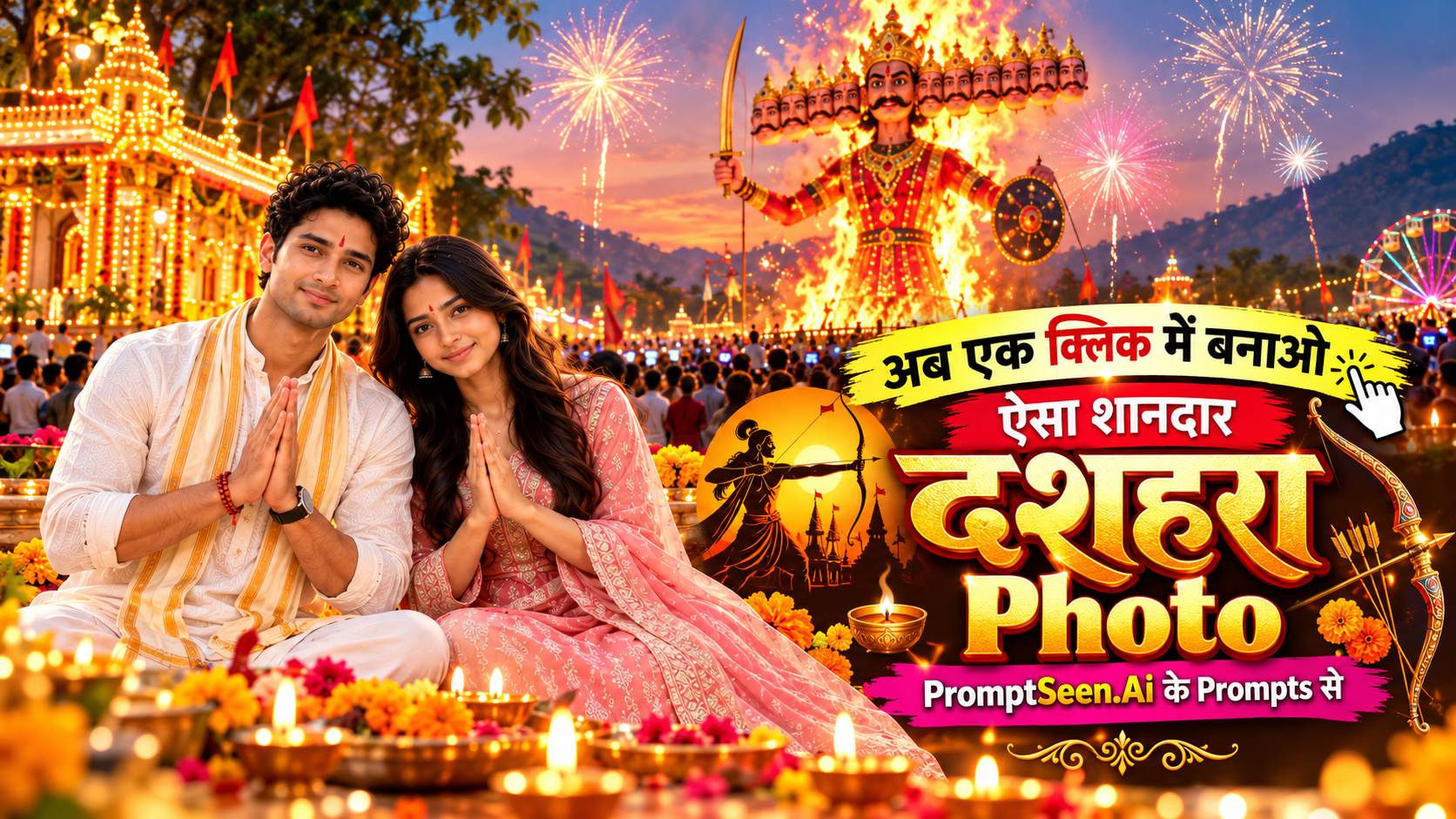
Dussehra AI Photo Editing Prompts for Boy, Girl & Couple Gemini & ChatGPT
G
By Gulshan Aggarwal·
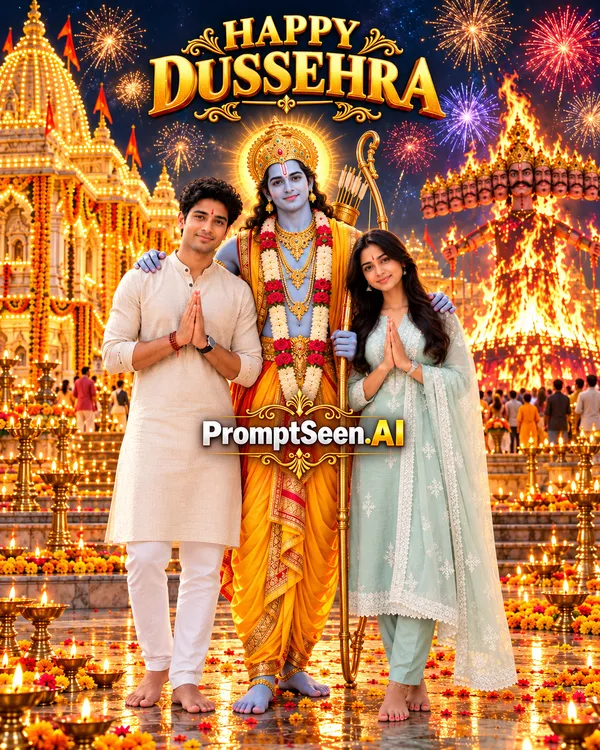
1. Shri Ram Ashirwad — Happy Dussehra Poster
Seek divine blessings on this auspicious day. This Dussehra prompt AI photo template places you beside a majestic, glowing figure of Lord Shri Ram against the backdrop of a grand temple and fireworks.
Create a vertical 9:16 ultra-realistic Dussehra portrait poster. Use the person/people from the reference image — keep the face 100% identical to the reference (same facial features, skin tone, hairstyle, expression details, do not beautify or alter the face) and keep the outfit exactly the same as in the reference. They stand with hands folded in namaste, smiling gently, with a small red tilak on the forehead, beside a majestic, tall divine figure of Lord Shri Ram: blue-toned skin, golden crown with a glowing halo, saffron-yellow dhoti and angavastra, marigold and rose garlands, golden jewellery, holding a tall golden bow with a quiver of arrows on his back, one hand resting on the person's shoulder in blessing. Background: a grand temple lit with thousands of golden lights and marigold garlands on the left, a ten-headed Ravana effigy burning in tall flames on the right, fireworks bursting in a dark night sky, rows of brass diyas on a wet reflective marble floor. At the top, bold 3D golden text "HAPPY DUSSEHRA" with ornamental golden flourishes. Warm golden-orange cinematic lighting, festive glow on the face, sharp focus, 8K detail, photorealistic. If the reference image has two people, show both standing together beside Shri Ram with both faces exact.
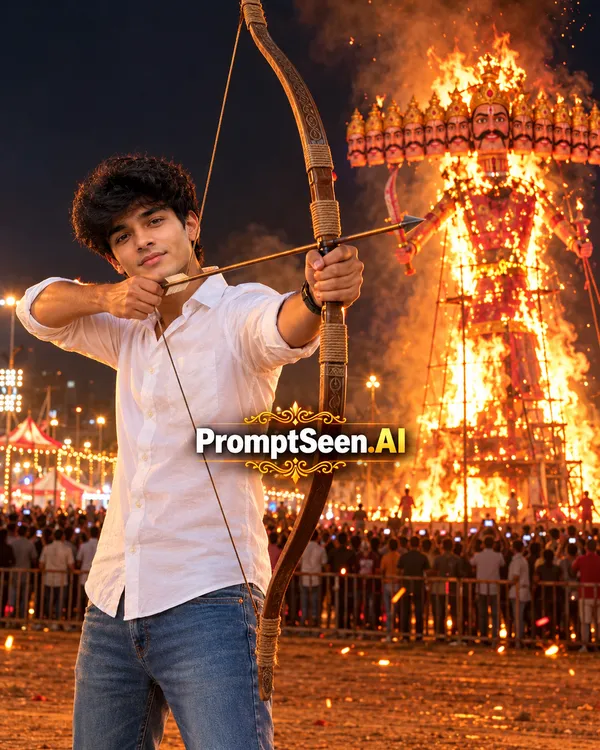
2. Ravan Dahan Archer
Become part of the epic Ram Leela action! This highly cinematic Dussehra photo editing prompt frames you confidently drawing a traditional wooden bow towards a massive, burning Ravana effigy in front of a cheering crowd.
Create a vertical 9:16 ultra-realistic Dussehra photograph. Use the person/people from the reference image — keep the face 100% identical to the reference (same facial features, skin tone, hairstyle, do not beautify or alter the face) and keep the outfit exactly the same as in the reference. They stand in a confident archer pose on an open festival ground at night, drawing a large traditional wooden bow with a sharp arrow aimed toward a giant Ravana effigy burning in the background. The ten-headed Ravana effigy is engulfed in massive orange flames with sparks rising into the dark sky, a huge crowd silhouetted below behind barriers watching the Ravan Dahan, festival lights and tents far behind. Firelight glows warmly on the face and clothes, dramatic rim light from the flames, embers floating in the air, shallow depth of field, cinematic documentary-style photography, 8K detail, photorealistic. If the reference image has two people, show both side by side each drawing a bow toward the effigy, both faces exact.
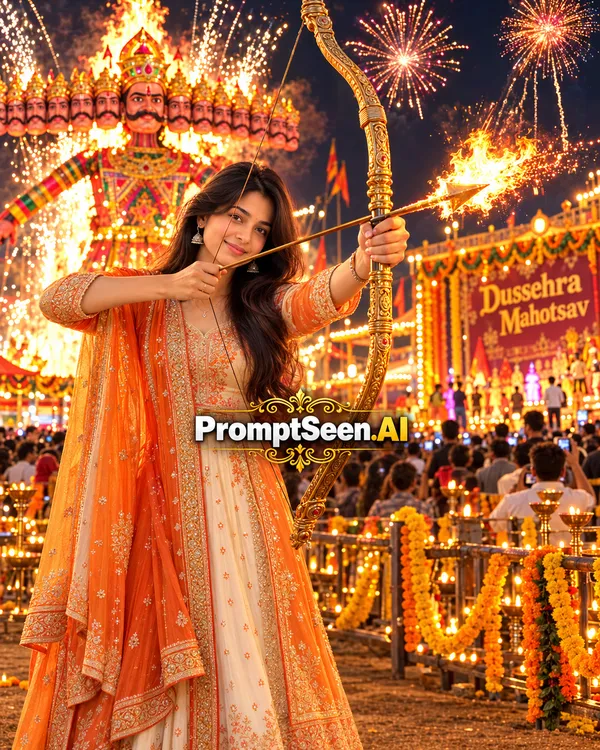
3. Flaming Arrow Vijaya
Ready to light up the night sky! This Dussehra prompts for Gemini template places you in traditional ethnic wear, laughing joyfully while holding a flaming arrow just moments before the Ravan Dahan.
Create a vertical 9.16 ultra-realistic festive photograph. Use the person/people from the reference image — keep the face 100% identical to the reference (same facial features, skin tone, hairstyle, do not beautify or alter the face) and wearing traditional Indian festive ethnic wear in saffron, orange and cream tones (kurta-pyjama or lehenga/saree, matching each person). They stand in a crowded Dussehra celebration ground at night, laughing joyfully while holding a large ornate golden bow with a flaming arrow ready to shoot, sparks trailing from the arrow tip. Behind them, a giant colourful ten-headed Ravana effigy with a glowing crown is bursting with golden fireworks and crackling sparklers, flames starting at its base, a decorated festival stage with a "Dussehra Mahotsav" banner on the right, a joyful crowd all around. Marigold and jasmine flower decorations, warm golden bokeh lights, firework sparkles filling the sky, vibrant festive colours, sharp focus on the face, 8K detail, photorealistic. If the reference image has two people, show both together holding the flaming bow, both faces exact.
4. Dussehra Mela Night
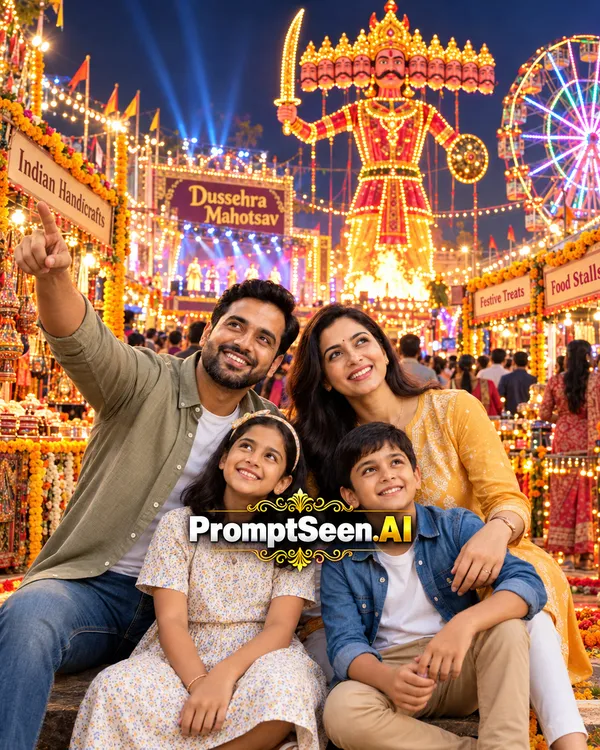
Experience the vibrant chaos of an Indian fair. This Dussehra traditional look AI prompt surrounds you with glowing Ferris wheels, food stalls, and a towering Ravana effigy against a deep blue night sky.
Create a wide landscape 4:5 ultra-realistic photograph. Use the person/people from the reference image — keep the face 100% identical to the reference (same facial features, skin tone, hairstyle, do not beautify or alter the face) and keep the outfit exactly the same as in the reference. They stand in the foreground on the left side of a huge Dussehra mela at night, smiling and looking up with wonder, one hand pointing toward the sky, surrounded by a lively crowd in colourful ethnic wear. Behind them: a towering Ravana effigy fully covered in glowing golden-red fairy lights holding a lit sword and shield, a grand illuminated gate and stage with blue spotlights and performers, decorated stalls with marigold garlands and signboards reading "Indian Handicrafts", "Festive Treats" and "Food Stalls", a glowing Ferris wheel on the right, strings of lights everywhere, deep blue night sky. Warm festive lighting on the face, vibrant colours, sharp focus, 8K detail, photorealistic. If the reference image has two people, show both together in the foreground, both faces exact.
5. Sunset Diya Rangoli
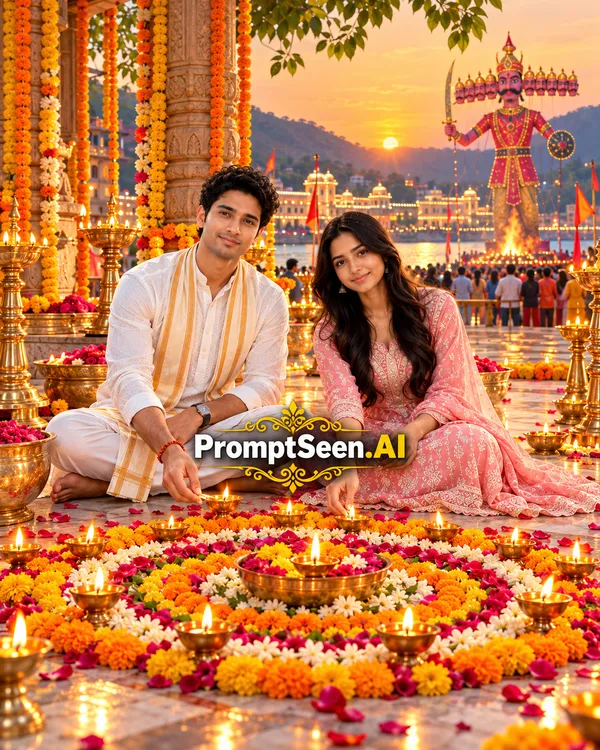
For a calm, serene festive greeting. This Vijayadashami AI photo prompt frames you lighting brass diyas around a beautiful marigold rangoli in a grand temple courtyard as the sun sets.
Create a wide landscape 4:5 ultra-realistic cinematic photograph. Use the person/people from the reference image — keep the face 100% identical to the reference (same facial features, skin tone, hairstyle, do not beautify or alter the face) and keep the outfit exactly the same as in the reference. They are seated on a marble temple courtyard floor, gently lighting a brass diya and arranging a large circular flower rangoli made of marigold, rose and jasmine petals in orange, yellow, red and white, with dozens of glowing diyas placed around it. Around them: stone pillars draped with long marigold garlands, brass bowls full of flowers, tall ornate brass lamps, a leafy tree branch overhead. In the distance: a calm lake reflecting a glowing orange sunset, hills and a palace skyline, saffron flags, and a crowd watching a giant red-and-gold ten-headed Ravana effigy with sword and shield standing beside a small fire. Golden-hour warm glow, soft magical light on the face, petals and diya flames in sharp detail, serene devotional mood, 8K, photorealistic. If the reference image has two people, show both seated together lighting the diyas, both faces exact.
6. Introduction – Dussehra AI Photo Editing Prompts
Celebrate the victory of good over evil with stunning digital devotion! Dussehra, also known as Vijayadashami, marks the end of Navratri and commemorates Lord Rama's victory over Ravana. Today, sharing your festive spirit online is as important as attending the local Mela. With these Dussehra AI photo editing prompts, you can create hyper-realistic portraits placing yourself right in the middle of epic celebrations without needing any Photoshop skills.
Whether you are looking for a Dussehra prompt for boys aiming a bow at a burning effigy, a Dussehra prompt for girls arranging a beautiful diya rangoli, or a Dussehra couple photo prompt standing under the blessings of Lord Rama, these copy-paste templates are engineered specifically for Google Gemini and ChatGPT. Simply upload your photo, and the AI will preserve your exact facial identity and clothing while building a spectacular festive background around you.
7. How to Use Dussehra Prompts in Gemini & ChatGPT
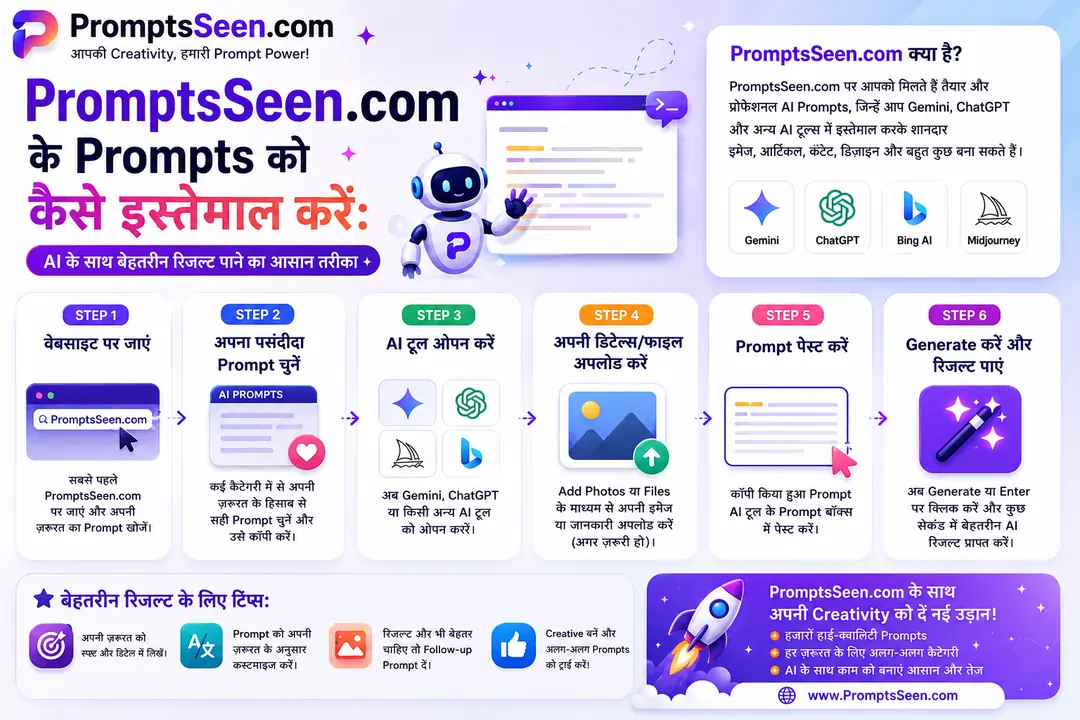
Creating your personalised festive portrait is quick and easy. Follow these simple steps:
Step 1: Select a clear, well-lit photo of yourself (or your family/partner). Front-facing photos work best.
Step 2: Open Google Gemini or ChatGPT and click the attachment icon to upload your reference picture.
Step 3: Browse the 5 templates above, click the 'Copy' button on your favourite Dussehra prompts for ChatGPT or Gemini, and paste the text into the chat box.
Step 4: Press enter! The AI will automatically analyze your face and seamlessly integrate it into the vibrant Vijayadashami celebration scene.
8. Tips for Creating Realistic Dussehra AI Photos
To ensure your Dussehra prompt for men or women looks like a genuine camera photograph rather than a digital painting:
Do Not Delete the Face Lock: Every prompt starts with strict instructions to "keep the face 100% identical to the reference." This is essential for preserving your identity.
Outfit Preservation: Notice how our templates say "keep the outfit exactly the same." If you upload a photo of yourself in a plain t-shirt but want a traditional look, simply change that line to say "wearing traditional Indian festive ethnic wear in saffron tones" (as seen in Prompt 3).
Use Bright References: A dark or blurry selfie makes it hard for the AI to map your face. Use a photo taken in natural daylight for the sharpest results.
9. FAQ – Dussehra AI Photo Editing Prompts
What is a Dussehra AI photo editing prompt?
A Dussehra AI photo editing prompt is a descriptive text template designed for tools like Google Gemini and ChatGPT. It allows you to generate a realistic, customized festive portrait (like Ravan Dahan or Ram Leela) using your own reference photo.
Can I use the Dussehra prompt for men and women?
Yes, absolutely! Our templates are gender-neutral. The AI will automatically adapt the body and posture based on the gender and style present in your uploaded reference photo.
How do I use a Dussehra couple photo prompt?
To create a couple portrait, simply upload a reference photo that clearly shows both people. The prompts are designed with built-in instructions to keep both people in the scene naturally.
Will the AI change my original face or clothes?
No. Our engineered prompts contain strict 'Identity Lock' instructions, which force the AI to keep your facial features, skin tone, hairstyle, and even your clothes exactly as they appear in the original uploaded photo.
What AI app is best for a Dussehra prompt AI photo?
We recommend using Google Gemini Advanced or ChatGPT Plus (with DALL-E 3) for the most realistic cinematic lighting, accurate face preservation, and detailed background environments.
How can I fix the AI if it changes my face?
If the AI slightly alters your face, simply click 'regenerate' using the exact same prompt. Ensure your uploaded reference photo is clear, well-lit, and front-facing for the best mapping results.