Table of Contents
- 1. Golden Diya Banner (Gemini / ChatGPT)
- 2. Fireworks Night Banner (Gemini / ChatGPT)
- 3. Rangoli Status Banner (WhatsApp / Insta Story)
- 4. Royal Lantern Post (Square)
- 5. Sky Lantern Wishes Banner
- 6. Introduction – Diwali Wishes Banner AI Prompts
- 7. How to Create Diwali Wishes Banners with Gemini & ChatGPT
- 8. Tips for Creating Professional Diwali Greeting Banners
- 9. FAQ – Diwali Wishes Banner Prompts
1. Golden Diya Banner (Gemini / ChatGPT)
Embrace the warmth of the festival of lights with this highly detailed, elegant template. This prompt creates a stunning 4:5 vertical diwali banner that seamlessly blends your face into a luxurious maroon and gold diwali background. It is perfect for sending premium digital greetings to your loved ones.
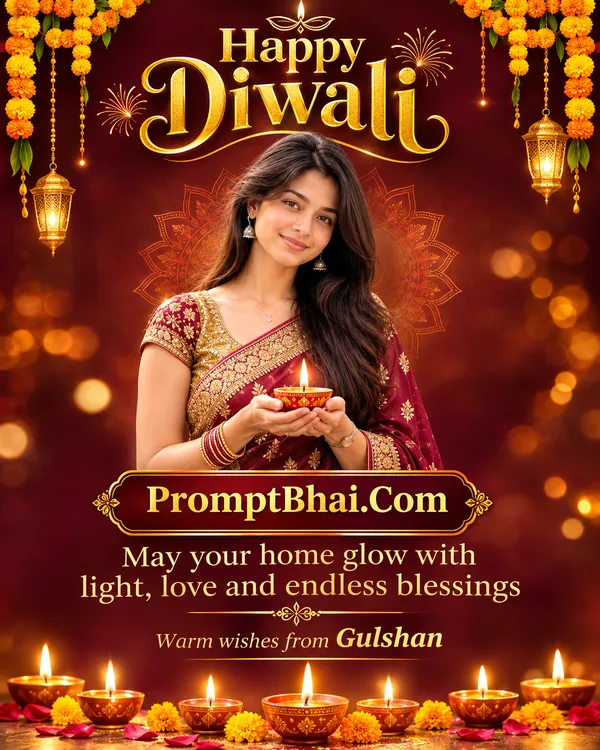
Use the uploaded reference photo ONLY for the faces. Keep exactly the same number of people as in the reference — do not add or remove anyone. Keep every face 100% identical to the reference. Dress everyone in elegant festive traditional Indian wear in gold and maroon tones, suited to each person. Design a premium Diwali wishes banner, aspect ratio 4:5 (vertical). Top area: big elegant golden text "Happy Diwali". Middle: the person or people from the reference, waist-up, smiling warmly, holding a lit clay diya, fully inside the frame, nothing cropped. Bottom area: golden text "May your home glow with light, love and endless blessings" and below it small text "Warm wishes from [YOUR NAME]". Background: deep maroon with soft golden bokeh, glowing diyas along the bottom edge, marigold garlands hanging from the top corners, subtle gold mandala pattern. Photorealistic people, real skin texture, crisp clear readable text with correct spelling, luxury festive poster design, no AI look, no watermark. Aspect ratio 4:5. Same number of people as the reference photo — no extra person.
2. Fireworks Night Banner (Gemini / ChatGPT)
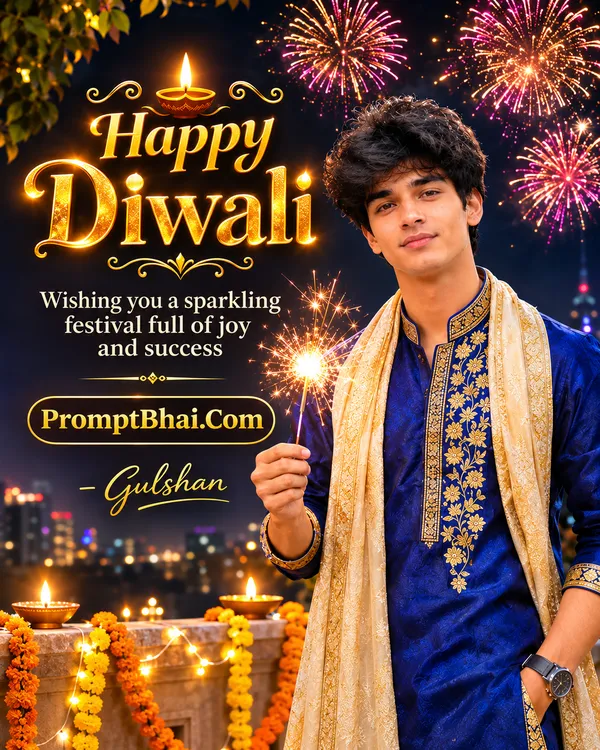
If you prefer a wide, cinematic style, this 16:9 horizontal template is for you. Set against a dark night sky bursting with colorful fireworks, this prompt generates fantastic diwali wishes images that look like a professional festive movie poster featuring you as the star.
3. Rangoli Status Banner (WhatsApp / Insta Story)
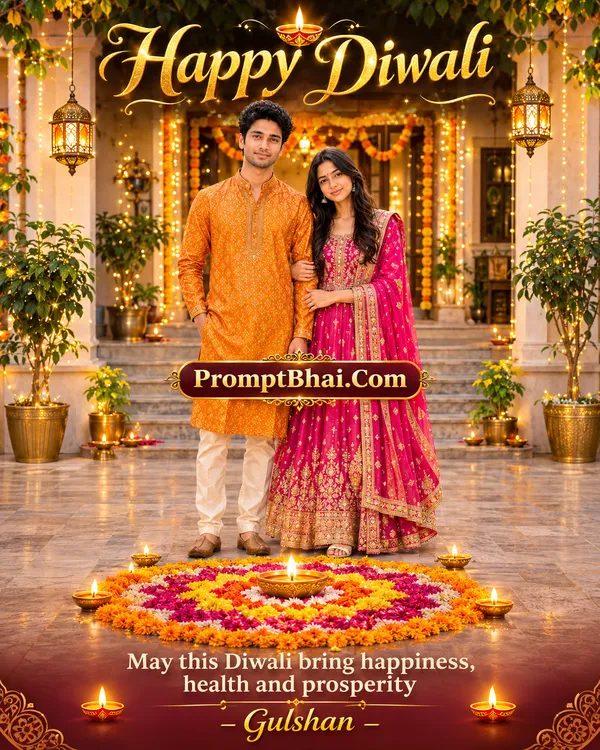
Designed specifically for social media stories, this vertical 9:16 layout puts you right in front of a beautiful, colorful rangoli. It is an amazing way to share diwali wishes in English with your entire network through a flawless WhatsApp status or Instagram story.
4. Royal Lantern Post (Square)
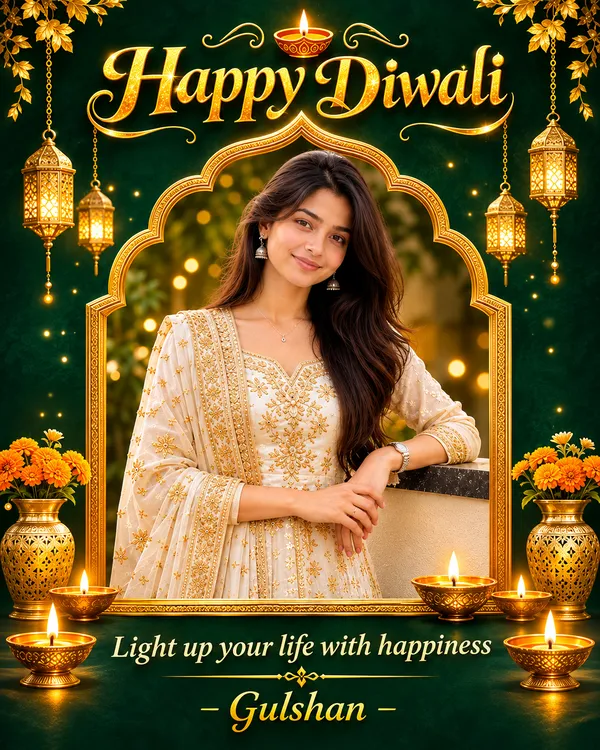
If you are planning to post a picture on your Facebook or Instagram grid, this 1:1 square ratio is highly recommended. The rich emerald green backdrop paired with glowing lanterns makes for an incredibly royal diwali photo that will surely gather lots of likes.
5. Sky Lantern Wishes Banner
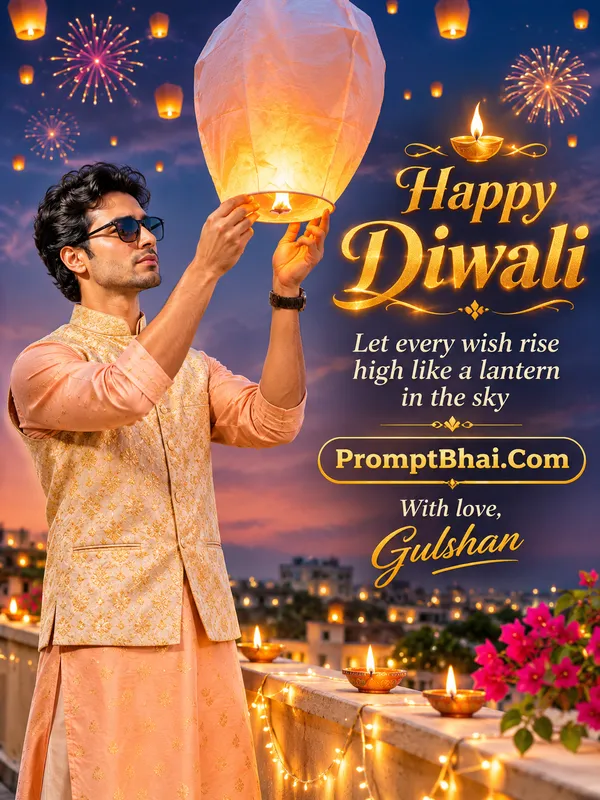
Capture the magical, dreamy side of the festival. In this prompt, you are depicted releasing a glowing paper lantern into a twilight sky. It elegantly integrates beautiful diwali wishes quotes right next to your portrait for a breathtaking 16:9 banner.
PromptBhai के साथ जुड़ें
रोज़ नए वायरल AI प्रॉम्प्ट, सबसे पहले आपके पास
6. Introduction – Diwali Wishes Banner AI Prompts
The festival of lights is a beautiful time dedicated to sharing joy, prosperity, and love with those who matter most. However, sending generic, forwarded diwali wishes images over WhatsApp has become a little outdated. This year, you can stand out from the crowd by creating your very own customized diwali banner. Using our exclusively engineered prompt templates, you can easily blend your face, or your family's faces, into breathtaking digital greetings without any Photoshop skills.
Our carefully crafted text prompts instruct advanced AI tools like Google Gemini and ChatGPT to generate highly professional graphics. Whether you are looking for a royal diwali background featuring golden diyas, or want to include meaningful diwali wishes quotes next to your portrait, these AI formulas do all the heavy lifting. By providing strict instructions for typography and aspect ratios, these templates ensure your final diwali photo looks like a premium advertisement or a cinematic poster.
7. How to Create Diwali Wishes Banners with Gemini & ChatGPT
Transforming your everyday selfie into a magical diwali banner is incredibly simple. Just follow these easy steps to get your perfect festive graphic:
- Step 1: Choose Your Vibe: Scroll through the 5 unique templates above. Decide whether you want a vertical story format (like the Rangoli Status) or a wide horizontal layout (like the Fireworks Night).
- Step 2: Copy the Prompt: Once you find the perfect style, click the 'Copy' button located right below the sample image. The entire text block will be saved to your device's clipboard.
- Step 3: Personalize Your Name: Open a notepad app on your phone, paste the text, and look for the placeholder "[YOUR NAME]". Carefully delete this bracketed text and type in your actual name (e.g., 'Rahul' or 'The Sharma Family').
- Step 4: Upload and Generate: Open ChatGPT Plus (using DALL-E 3) or Google Gemini Advanced. Upload a clear, front-facing reference photo of yourself, paste your customized prompt text into the chat, and press enter. The AI will read the text and render your beautiful diwali wishes in English in just a few seconds!
8. Tips for Creating Professional Diwali Greeting Banners
While AI models are powerful, keeping a few expert tips in mind will guarantee that your diwali wishes images look absolutely flawless and professional:
- Use High-Quality Reference Photos: The AI uses your uploaded photo to recreate your face. Always use a clear, well-lit picture where your face is easily visible and not covered by sunglasses or heavy shadows.
- Check the Spelling: Although modern AI is great at generating English typography, it can occasionally misspell a word in your diwali wishes quotes. If you notice a typo in the generated text, do not panic. Simply hit the 'Regenerate' button using the exact same prompt, and it will usually fix it on the second try.
- Do Not Alter the Core Instructions: The magic of these prompts relies on specific keywords like '16:9 horizontal', 'photorealistic', and 'golden bokeh'. Try to leave these core styling instructions intact to maintain the premium look of the diwali background.