Table of Contents
- 1. Govardhan अन्नकूट आँगन Prompt (Gemini / ChatGPT)
- 2. Govardhan छप्पन भोग मंदिर Prompt
- 3. Govardhan लीला दर्शन Prompt
- 4. Govardhan गिरिराज की छाया में Prompt
- 5. Govardhan गोवर्धन महाराज पूजन Prompt
- 6. Govardhan ऊपर से गोवर्धन दर्शन Prompt
- 7. Introduction – Govardhan Puja Wishes Prompts in Hindi
- 8. How to Use Govardhan Puja Prompts in Gemini & ChatGPT
- 9. Tips for Creating Realistic Govardhan Puja AI Images
- 10. FAQ – Govardhan Puja Wishes Prompts
1. Govardhan अन्नकूट आँगन Prompt (Gemini / ChatGPT)
Embrace the joy of the festival right in your own courtyard! This beautiful Govardhan Puja greeting card prompt expertly places you and your family around a traditional, flower-decorated Govardhan hill made from cow dung. The AI perfectly outputs golden Hindi typography at the top.
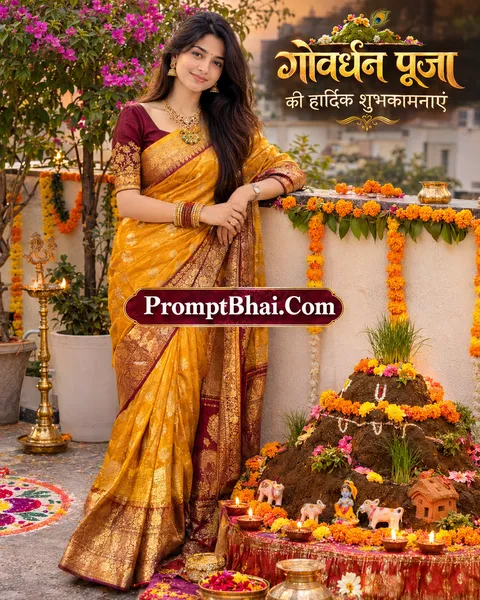
Keep exactly the same number of people as in the uploaded photo — do not add or remove anyone. Keep every face exactly as in the photo: same facial features, skin tone, expression and hairstyle. Change only the clothes to rich traditional Indian festive wear in deep yellow, orange and maroon silk with golden zari work and fitting traditional jewellery. Place them in a decorated home courtyard on Govardhan Puja day, standing beside a small Govardhan hill shaped from cow dung, decorated with marigold flowers, tiny clay figures, grass and lit diyas. Colourful rangoli on the floor, marigold garlands and brass lamps around, warm golden evening light. Ultra-realistic photograph, natural skin texture, DSLR quality, shallow depth of field, real-life lighting, no artificial or AI look. At the top, elegant golden Hindi text: "गोवर्धन पूजा की हार्दिक शुभकामनाएं". Final image must have exactly the same number of people as the uploaded photo.
2. Govardhan छप्पन भोग मंदिर Prompt
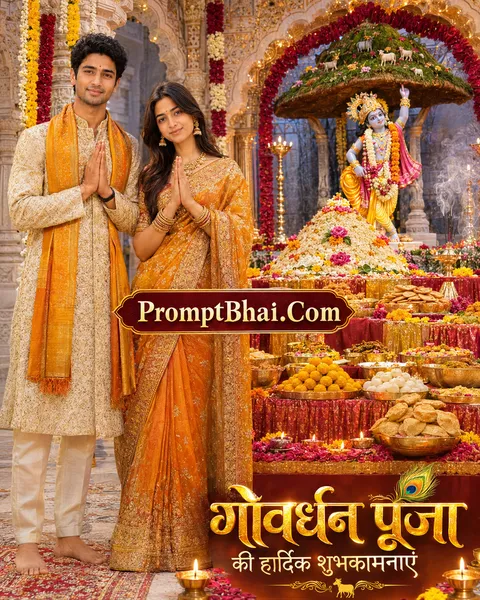
Experience the divine offering of Chhappan Bhog! With this highly detailed Govardhan Puja Annakut AI photo prompt, you can beautifully generate a majestic temple setting complete with a mountain of rice and sweets before Lord Krishna.
3. Govardhan लीला दर्शन Prompt
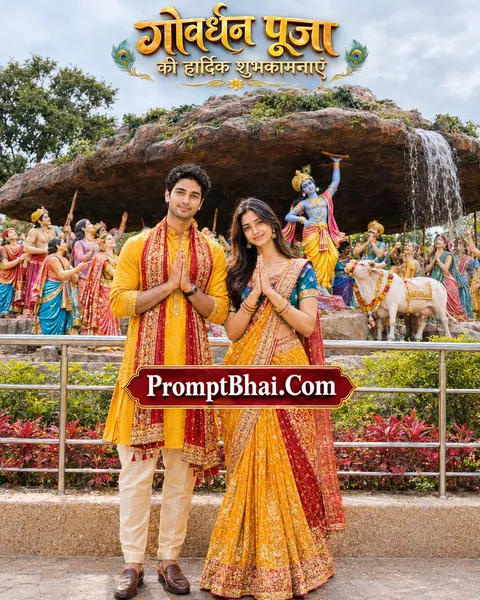
Immerse yourself in the timeless story of Giriraj Maharaj. This Govardhan Puja photo editing prompt uses AI to transport you to an outdoor sculpture display depicting Lord Krishna lifting the great Govardhan Parvat alongside Gau Mata.
4. Govardhan गिरिराज की छाया में Prompt
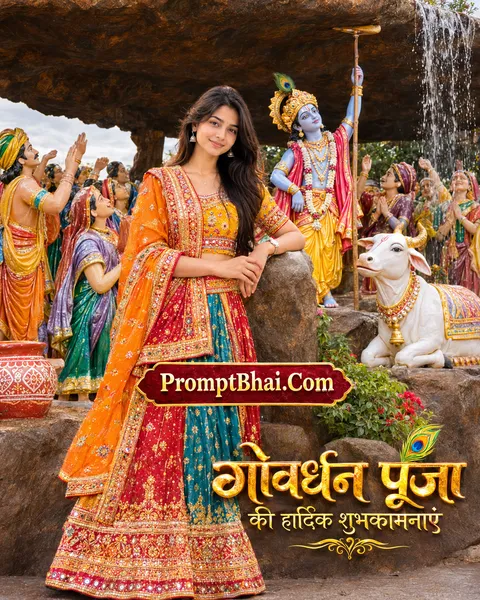
Experience the devotion of Braj Bhoomi! Serving as a magnificent Govardhan Puja poster design prompt, this template generates you standing beneath the massive lifted rock alongside beautifully painted statues of villagers taking shelter.
5. Govardhan गोवर्धन महाराज पूजन Prompt
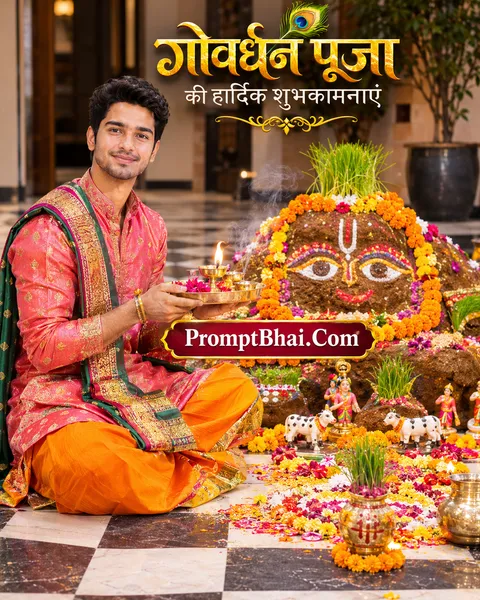
Perform the traditional aarti right from your device! If you are searching online for 'govardhan puja kab hai' and want to prepare the perfect digital greeting, this prompt yields a beautiful image of you doing puja before the cow-dung figure.
6. Govardhan ऊपर से गोवर्धन दर्शन Prompt
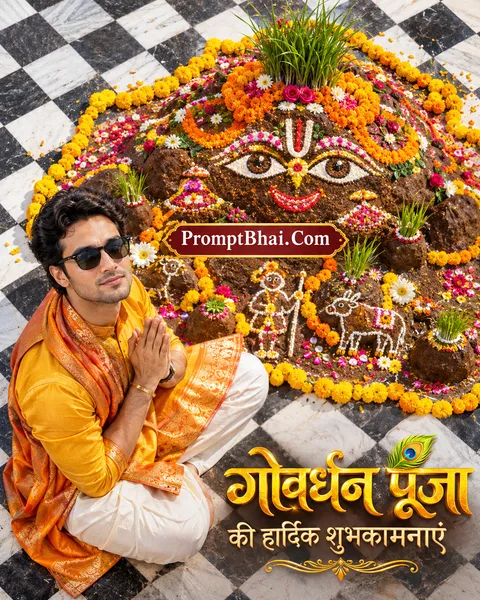
Capture the entire decorated floor from a stunning cinematic angle. This unique Govardhan Puja Gemini prompt utilizes a top-down view to showcase the intricate marigold and grass decorations of the Govardhan figure alongside your portrait.
PromptBhai के साथ जुड़ें
रोज़ नए वायरल AI प्रॉम्प्ट, सबसे पहले आपके पास
7. Introduction – Govardhan Puja Wishes Prompts in Hindi
Welcome to the most sacred and culturally rich collection for the grand festival of Annakut! Celebrated the day after Diwali, devotees often wonder 'govardhan puja kab hai' to properly plan their traditional ceremonies honoring Lord Krishna and Giriraj Maharaj. But this year, you can take your devotion to the next level digitally. By using our exclusive Govardhan Puja AI photo prompts, you can magically blend your real face into breathtaking, highly detailed festive environments without needing any physical decorations or editing skills.
If you enjoy browsing our extensive Religion Prompt Collection or discovering the latest viral trends over at Prompt Seen: New Trending AI Photo Prompts, you will deeply appreciate the realism of these templates. Our specialized text instructions guide AI models like Gemini and ChatGPT to automatically dress you in rich ethnic wear. Whether you want to pose beside a traditional cow-dung Govardhan figure or in front of an elaborate Chhappan Bhog offering at a temple, these templates seamlessly integrate your face while generating elegant Govardhan Puja wishes in Hindi images for your loved ones.
8. How to Use Govardhan Puja Prompts in Gemini & ChatGPT
Creating your customized, highly devotional Govardhan Puja image is an incredibly straightforward process. Simply follow these four easy steps:
- Step 1: Choose Your Preferred Darshan: Scroll through the 6 unique templates provided above. Select the theme that resonates most with your devotion, whether it is standing beneath the giant rock in 'Govardhan Leela' or sitting in a home courtyard for traditional puja.
- Step 2: Copy the Formula: Once you have made your choice, click the 'Copy' button located directly below the sample demo image. The entire text instruction will be instantly saved to your device's clipboard.
- Step 3: Upload a Clear Reference Photo: Open Google Gemini Advanced or ChatGPT Plus. Use the attachment icon to upload a clear, front-facing reference photo of yourself or your family. Ensure the lighting is even and faces are not obscured.
- Step 4: Paste and Generate: Paste the copied prompt into the chat box and hit enter. The AI will carefully process the 'Face Preservation' rules and generate a flawless, cinematic Govardhan Puja 2026 wishes portrait within seconds!
9. Tips for Creating Realistic Govardhan Puja AI Images
While AI models like DALL-E 3 and Gemini are incredibly advanced, handling complex traditional Indian elements like 'Annakut' and Hindi typography requires precision. Keep these expert tips in mind for the best output:
- Preserve the Strict Rules: You will notice that every Govardhan Puja ChatGPT prompt starts with explicit instructions to "Keep exactly the same number of people" and "Keep every face exactly as in the photo". Never delete these lines! These are vital constraints that force the AI to map your identity accurately without altering your natural facial structure.
- Handling Hindi Text: The prompts automatically generate golden Hindi text ("गोवर्धन पूजा की हार्दिक शुभकामनाएं"). If the AI occasionally misspells the Devanagari script, do not panic. Simply hit the 'Regenerate' button using the exact same prompt; it almost always fixes the spelling on the second or third attempt.
- Customize the Outfits: Feel free to lightly edit the clothing colors mentioned in the prompt. For instance, you can change 'deep yellow and orange silk' to 'royal blue and magenta'. The AI will seamlessly adjust the overall lighting of the Govardhan Puja photo editing prompt to match your new colors.