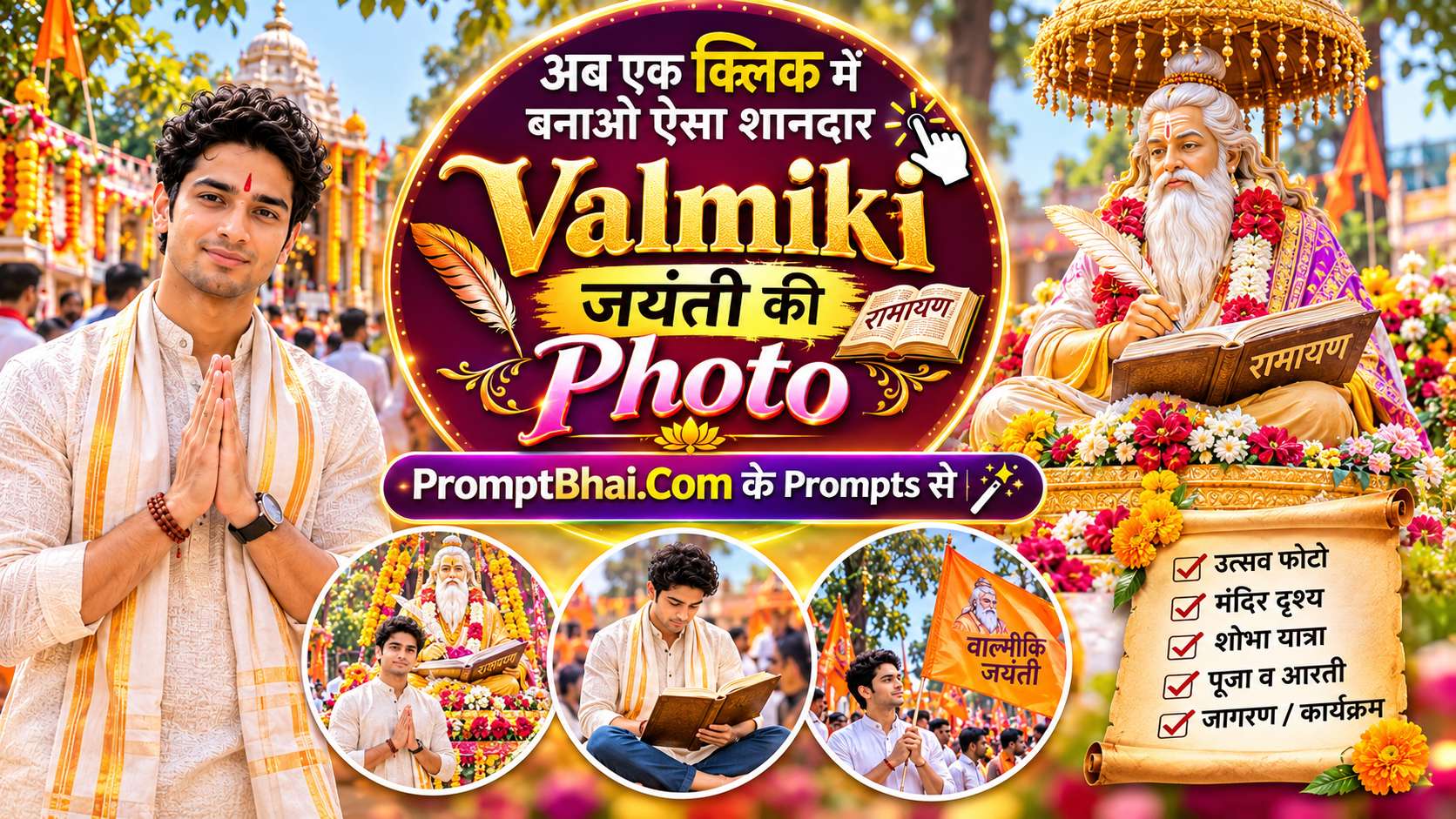
Valmiki Jayanti AI Photo Prompts for Boy, Girl & Couple
G
By Gulshan Aggarwal·
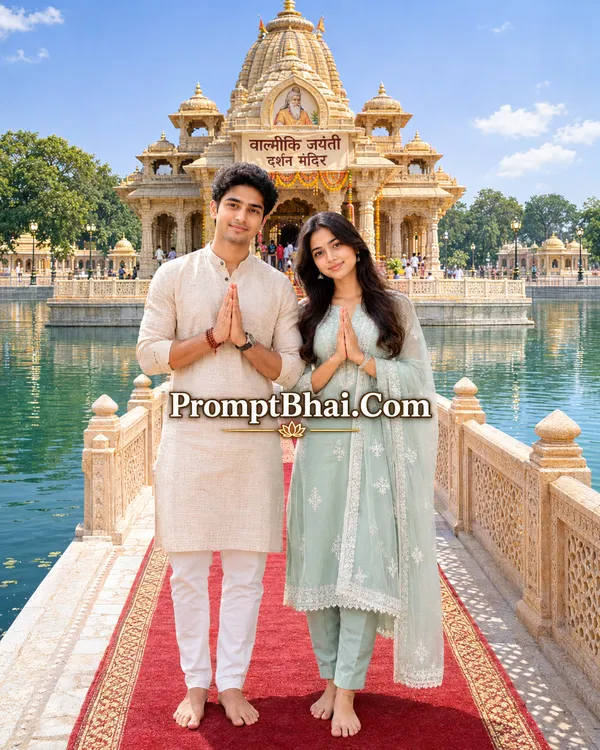
1. Sarovar Mandir – Red Carpet Darshan
Step onto the red carpet of devotion. This Valmiki Jayanti AI photo prompt generates a serene temple setting emerging from a holy lake (sarovar). It ensures your exact outfit and face remain untouched.
Use the uploaded photo as the reference. Keep the face, skin tone, facial features, hairstyle, expression and body shape of every person exactly the same as in the uploaded photo — do not change the identity. Keep their clothes exactly as in the uploaded photo too — same outfit, colours, prints and accessories; do not change, replace or add any clothing. This prompt works for a girl, a boy or a couple: if the photo has one person, show only that person; if it has two, show them together as a couple, standing close side by side.
Scene: Valmiki Jayanti darshan at a grand temple standing in the middle of a large, calm sarovar (holy lake) with clear green-blue water. The temple is made of warm golden sandstone, with a tall central dome of stacked, tapering rings topped by a small kalash, several smaller domes in the same tiered style around it, carved pillars, arched doorways and an ornate jaali railing around its raised platform. A long stone causeway runs across the water to the temple entrance, with a bright red carpet down its centre, white-and-gold patterned stone edges and carved golden-sandstone railings on both sides. More golden temple buildings, green trees and lamp posts line the far shore.
Pose: the person (or the couple) stands on the red carpet at the start of the causeway, facing the camera, hands joined in namaste, full body visible, barefoot as per temple custom, with the temple rising over the water behind them.
Bright sunny day, deep blue sky with soft scattered white clouds, the temple glowing golden in the sunlight with gentle reflections on the water. Slightly high wide-angle view, lighting and shadows on the person matching the scene, peaceful festive mood, ultra-realistic, high detail.
Aspect Ratio: 4:5
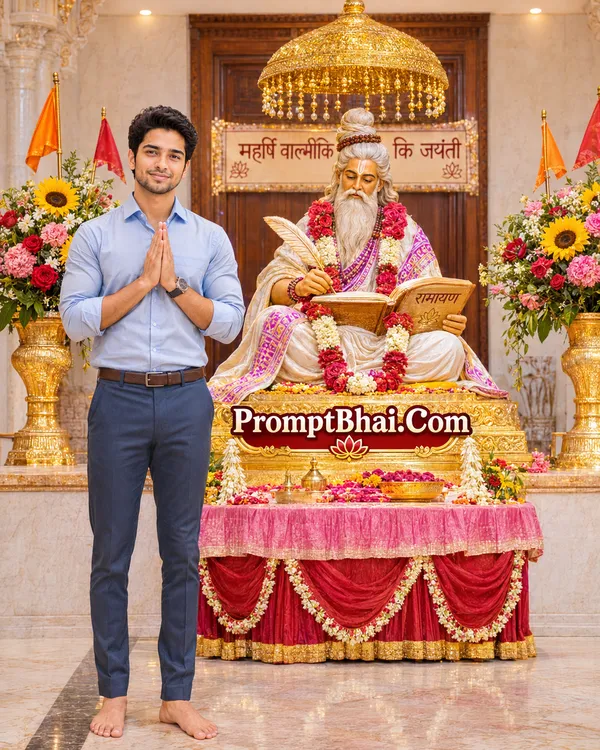
2. Maharishi Valmiki Ji Ka Aashirwad
Receive the blessings of the Adi Kavi. This beautiful photo editing prompts for gemini places you respectfully beside a golden idol of Maharishi Valmiki writing the epic Ramayana.
Use the uploaded photo as the reference. Keep the face, skin tone, facial features, hairstyle, expression and body shape of every person exactly the same as in the uploaded photo — do not change the identity. Keep their clothes exactly as in the uploaded photo too — same outfit, colours, prints and accessories; do not change, replace or add any clothing. This prompt works for a girl, a boy or a couple: if the photo has one person, show only that person; if it has two, show them together as a couple, standing close side by side.
Scene: inside a beautifully decorated temple hall on Valmiki Jayanti. In the centre, on a raised golden pedestal, sits a golden idol of Maharishi Valmiki, cross-legged, with a long flowing white beard and his hair tied in a top knot, holding a quill in his right hand and writing the Ramayana in a large open book resting on his knee. The idol wears a white shawl with a purple-and-pink print and layered garlands of red and pink roses and white flowers. An ornate golden chhatra (ceremonial umbrella) with hanging golden tassels hangs just above his head. Tall golden vases on both sides overflow with bright sunflowers, red roses and pink and white flowers, with small saffron and red triangular flags among them, and a red offering table covered in pink and red cloth stands in front. Cream walls and polished wooden doors in the background.
Pose: the person (or the couple, together on the same side) stands beside the idol, face turned to the camera, hands joined in namaste in a devotional pose, barefoot as per temple custom, without blocking the idol — the idol stays fully visible.
Soft warm indoor light with a gentle golden glow, rich festive colours, lighting and shadows on the person matching the scene, peaceful devotional mood, ultra-realistic, high detail.
Aspect Ratio: 4:5
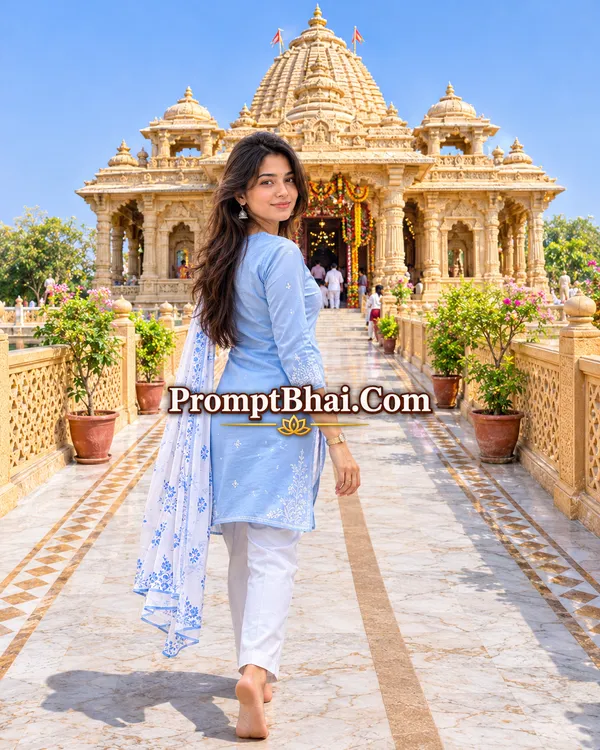
3. Mandir Ki Aur – Look Back Walk
Capture a stunning travel-style portrait. In this Valmiki Jayanti ChatGPT prompt, you are walking towards a majestic sandstone temple while looking back over your shoulder.
Use the uploaded photo as the reference. Keep the face, skin tone, facial features, hairstyle, expression and body shape of every person exactly the same as in the uploaded photo — do not change the identity. Keep their clothes exactly as in the uploaded photo too — same outfit, colours, prints and accessories; do not change, replace or add any clothing. This prompt works for a girl, a boy or a couple: if the photo has one person, show only that person; if it has two, show them together as a couple.
Scene: a grand golden-sandstone temple seen straight from the front, at the end of a long, straight walkway. The temple has a tall central dome of stacked, tapering rings topped by a kalash, smaller tiered domes on both sides, finely carved pillars and arches, and a large decorated entrance doorway. The walkway is paved in white marble with golden-brown geometric border patterns and a beige stone strip down the middle, lined on both sides by carved golden lattice railings with green potted plants along them.
Pose: the person (or the couple, walking hand in hand) walks along the walkway toward the temple, seen from behind, and turns to look back over the shoulder at the camera so the face is clearly visible, barefoot as per temple custom.
Bright sunny day, clear deep blue sky, warm sunlight making the temple glow golden. Symmetrical, slightly low-angle shot from the middle of the walkway with the temple centred behind, lighting and shadows on the person matching the scene, cinematic travel-photo style, ultra-realistic, high detail.
Aspect Ratio: 4:5
4. Valmiki Ji Ki Jhanki Ke Saath
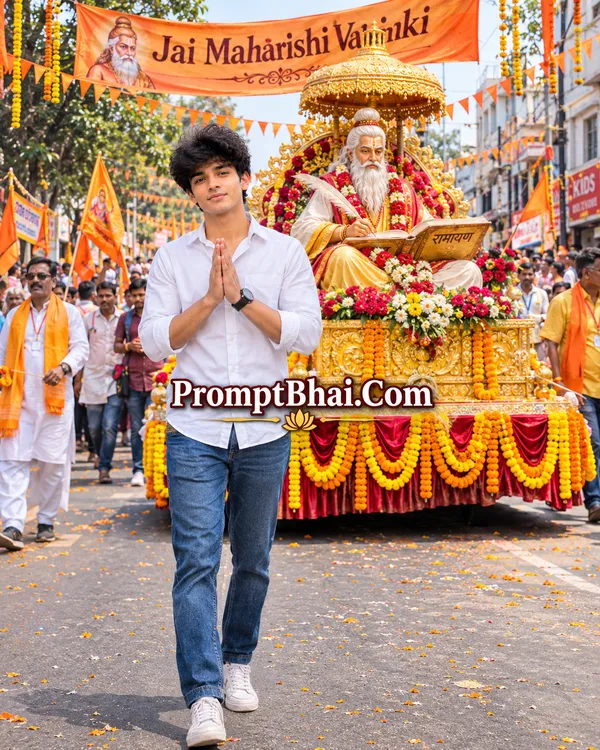
Join the festive Shobha Yatra! This photo prompt for chatgpt places you right in the middle of an exciting street procession, walking ahead of a beautifully decorated Jhanki.
Use the uploaded photo as the reference. Keep the face, skin tone, facial features, hairstyle, expression and body shape of every person exactly the same as in the uploaded photo — do not change the identity. Keep their clothes exactly as in the uploaded photo too — same outfit, colours, prints and accessories; do not change, replace or add any clothing. This prompt works for a girl, a boy or a couple: if the photo has one person, show only that person; if it has two, show them together as a couple.
Scene: a grand Valmiki Jayanti Shobha Yatra (festive religious procession) moving through a busy Indian city street in the daytime. Right behind the subject is a beautifully decorated jhanki — a chariot-style float covered in marigold garlands, red and yellow flowers and golden drapes, carrying a large golden idol of Maharishi Valmiki seated with a long white beard, writing the Ramayana in an open book under an ornate golden chhatra. Crowds of devotees with saffron and red flags fill the street, saffron bunting and marigold strings hang across it from the buildings, and a large saffron banner reading "Jai Maharishi Valmiki" stretches overhead.
Pose: the person (or the couple, side by side) walks at the front of the procession just ahead of the float, facing the camera, hands joined in namaste, full body visible.
Bright daylight, vibrant saffron, yellow and red festive colours, a few marigold petals in the air, lighting and shadows on the person matching the scene, documentary-style festival photo, ultra-realistic, high detail.
Aspect Ratio: 4:5
5. Chhat Se Phoolon Ki Barsaat
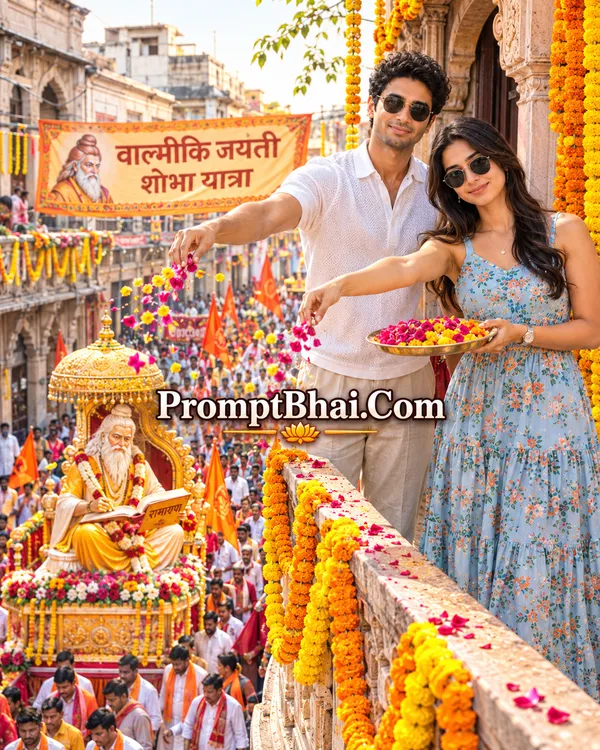
Show your devotion from above. This Maharishi Valmiki AI photo template creates a dynamic shot from a decorated balcony as you shower flower petals on the procession passing below.
Use the uploaded photo as the reference. Keep the face, skin tone, facial features, hairstyle, expression and body shape of every person exactly the same as in the uploaded photo — do not change the identity. Keep their clothes exactly as in the uploaded photo too — same outfit, colours, prints and accessories; do not change, replace or add any clothing. This prompt works for a girl, a boy or a couple: if the photo has one person, show only that person; if it has two, show them together as a couple.
Scene: a festive old-city street during a Valmiki Jayanti Shobha Yatra (festive religious procession). Below, the procession fills the narrow street: a decorated float carrying a golden idol of Maharishi Valmiki under a golden chhatra, devotees with saffron and red flags, and marigold strings hanging between the old buildings.
Pose: the person (or the couple, side by side, sharing one plate) stands at a balcony railing wrapped in marigold garlands, scattering rose and marigold petals onto the procession below from a brass plate, face turned toward the camera.
Shot from the side and slightly above the balcony so both the person and the procession below are visible, warm late-afternoon light, petals in mid-air, lighting and shadows on the person matching the scene, ultra-realistic, high detail.
Aspect Ratio: 4:5
6. Raat Ki Roshni Wali Shobha Yatra
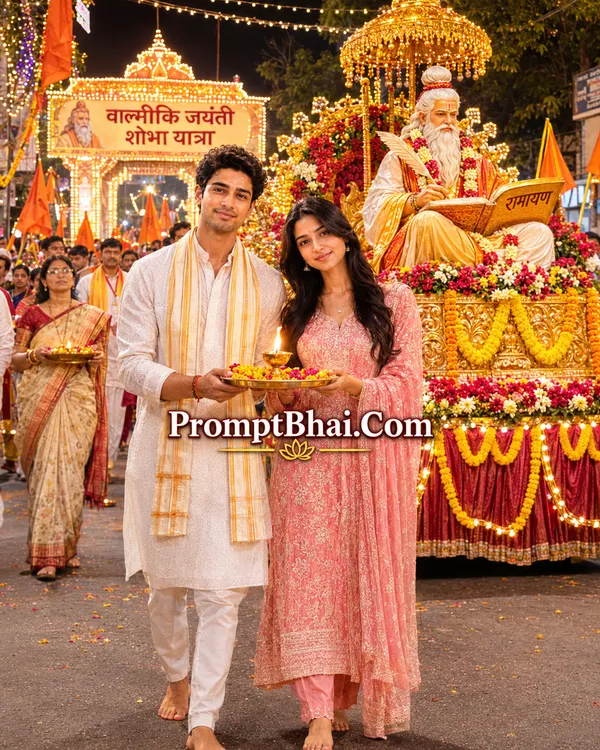
Experience the magic of a nighttime festival. This Valmiki Jayanti photo editing prompt highlights you holding a glowing aarti diya amidst the fairy lights and golden float of the Shobha Yatra.
Use the uploaded photo as the reference. Keep the face, skin tone, facial features, hairstyle, expression and body shape of every person exactly the same as in the uploaded photo — do not change the identity. Keep their clothes exactly as in the uploaded photo too — same outfit, colours, prints and accessories; do not change, replace or add any clothing. This prompt works for a girl, a boy or a couple: if the photo has one person, show only that person; if it has two, show them together as a couple.
Scene: a Valmiki Jayanti Shobha Yatra (festive religious procession) at night on a city street. Behind the subject, a grand float glows with warm golden lights and marigold garlands, carrying a golden idol of Maharishi Valmiki writing the Ramayana under an illuminated chhatra. Strings of fairy lights criss-cross above the street, devotees carry glowing diyas and saffron flags, and a lit welcome gate (swagat dwar) stands in the distance.
Pose: the person (or the couple, holding it together) walks with the procession carrying a brass aarti thali with a lit diya and flowers, facing the camera, the diya's warm glow softly lighting the face.
Night scene, warm golden glow, beautiful bokeh from the lights, lighting and shadows on the person matching the scene, cinematic, ultra-realistic, high detail.
Aspect Ratio: 4:5
7. Introduction – Valmiki Jayanti AI Photo Prompts
Valmiki Jayanti, also known as Pargat Diwas, is a deeply revered festival that honors the birth of Maharishi Valmiki, the great sage and the Adi Kavi (the first poet) who authored the epic Ramayana. This auspicious day is celebrated with grand Shobha Yatras, temple decorations, and devotional gatherings across India. If you want to share your devotion digitally but couldn't attend a procession, you can now use a Valmiki Jayanti AI photo prompt to create breathtaking, hyper-realistic festive portraits from the comfort of your home.
These specialized text templates, also known as photo prompts, are designed specifically for tools like Google Gemini and ChatGPT (DALL-E 3). Whether you want to see yourself offering flowers from a balcony, walking in a nighttime procession, or seeking blessings inside a grand temple, these prompts ensure that your exact face, hairstyle, and real clothes are preserved perfectly while the AI generates the majestic background around you.
8. How to Use Valmiki Jayanti Photo Prompts in Gemini & ChatGPT
Generating your customized devotional photo is incredibly easy. Just follow these steps:
Step 1: Select a clear, front-facing reference photo of yourself (or you and your partner/friend). Make sure the lighting is bright and your outfit is clearly visible.
Step 2: Open Google Gemini Advanced or ChatGPT Plus and click the attachment icon to upload your reference picture.
Step 3: Browse the 6 templates above, choose your favorite scene, click the 'Copy' button, and paste the photo editing prompts for gemini into the chat box.
Step 4: Press enter! The AI will automatically read the instructions, preserve your identity, and generate a stunning 4:5 vertical portrait ready for Instagram or WhatsApp.
9. Tips for Creating Realistic Valmiki Jayanti AI Photos
To ensure your Valmiki Jayanti Gemini prompt produces a photo that looks like it was taken by a real DSLR camera and not a cartoonish digital painting:
Never Delete the Identity Lock: Every prompt begins with strict instructions to "Keep the face, skin tone, facial features... exactly the same." This prevents the AI from swapping your face with a generic one.
Clothing Preservation: Notice how our templates say "Keep their clothes exactly as in the uploaded photo too". If you want the AI to change your clothes (e.g., to wear a traditional kurta or saree), you must delete that specific instruction and describe the new outfit you want.
Use High-Quality References: A dark or blurry selfie makes it difficult for the AI to map your face accurately. Use a photo taken in natural daylight without sunglasses for the sharpest facial rendering.
10. FAQ – Valmiki Jayanti Photo Prompts
What is a Valmiki Jayanti AI photo prompt?
A Valmiki Jayanti AI photo prompt is a pre-written text command designed for AI image generators like Google Gemini and ChatGPT. It seamlessly integrates your face into a devotional scene honoring Maharishi Valmiki.
Can I use these photo editing prompts for Gemini?
Yes, absolutely! These prompts are perfectly optimized for Google Gemini Advanced. Simply upload your reference photo, paste the prompt, and Gemini will generate a highly realistic image.
How does a photo prompt for ChatGPT work?
In ChatGPT Plus (using DALL-E 3), you can upload an image of yourself and provide our text prompt. The AI will read the 'Face Preservation' instructions to keep your identity intact while building the festive Shobha Yatra or Temple background.
Will the AI change my original clothes?
No. All our prompts include strict instructions saying: 'Keep their clothes exactly as in the uploaded photo too — same outfit, colours, prints and accessories; do not change, replace or add any clothing.' Your look will remain 100% authentic.
Can girls and couples use these photo prompts?
Yes! The templates are designed to be dynamic. The prompt explicitly tells the AI to adapt whether it sees a boy, a girl, or a couple in the reference photo, making it a universal tool for everyone.
What should I do if the AI slightly modifies my face?
Generative AI can sometimes have slight variations. To fix this, simply use a clear, bright, front-facing reference photo without sunglasses. If the first result isn't perfect, just click 'Regenerate' using the exact same text.