Table of Contents
- 1. उषा अर्घ्य – भोर का सूरज
- 2. सूप और प्रसाद – क्लोज़-अप पोर्ट्रेट
- 3. ठेकुआ बनाते हुए – घर का माहौल
- 4. खरना – खीर-रोटी का प्रसाद
- 5. संध्या अर्घ्य – डूबते सूरज का अर्घ्य
- 6. बनारस घाट – दीयों की रात
- 7. Introduction – Chhath Puja AI Photo Editing Prompts
- 8. How to Use Chhath Puja Prompts in Gemini & ChatGPT
- 9. Tips for Creating Realistic Chhath Puja AI Photos
- 10. FAQ – Chhath Puja Photo Editing Prompts
1. उषा अर्घ्य – भोर का सूरज (Gemini / ChatGPT)
Celebrate the pure devotion of offering Usha Arghya to Surya Dev. This beautiful Chhath Puja sunrise photo prompt generates a serene scene at dawn, placing you waist-deep in the river offering water from a brass lota.
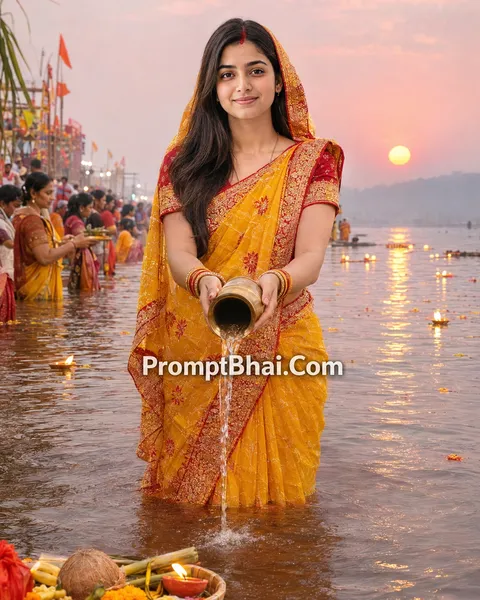
Use the uploaded photo as reference. Keep exactly the same number of people as in the reference photo — do not add or remove anyone. Keep every face 100% identical to the reference, only change the clothes and background. Early dawn at a river ghat, soft pink-blue sky with the first sliver of the rising sun, light mist over the water. They stand in the river with folded hands, a brass lota pouring water as arghya towards the rising sun. Traditional Chhath attire matching each person's existing style — a red-bordered yellow saree with sindoor for feminine clothing, a white kurta with dhoti and a red-yellow angocha for masculine clothing. Hundreds of diyas floating faintly in the background. Natural morning light, DSLR photo, realistic skin pores and fabric texture, no smoothing. Final check: same number of people as the reference photo, faces unchanged, fully photorealistic, no AI look.
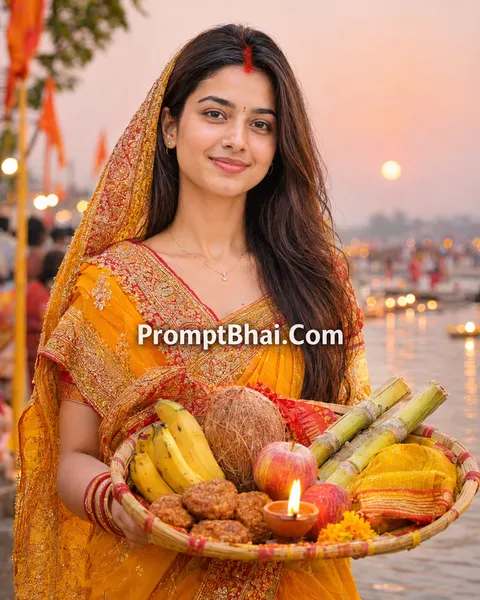
2. सूप और प्रसाद – क्लोज़-अप पोर्ट्रेट
Focus entirely on the traditional offerings of the festival! Using this close-up Chhath Puja traditional look AI prompt, the AI will beautifully render you holding a decorated Bamboo Soop filled with thekua, bananas, and coconut.
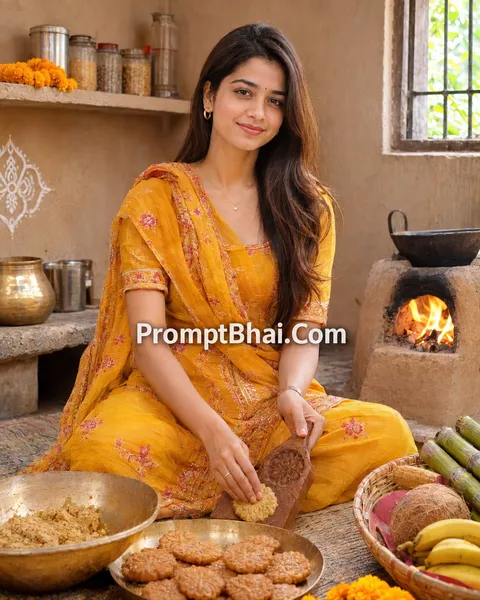
3. ठेकुआ बनाते हुए – घर का माहौल
Capture the essence of Nahay Khay and preparation! This documentary-style Chhath Puja family photo prompt puts you right in a clean, traditional village kitchen carefully shaping fresh Thekua near a glowing mud chulha.
4. खरना – खीर-रोटी का प्रसाद
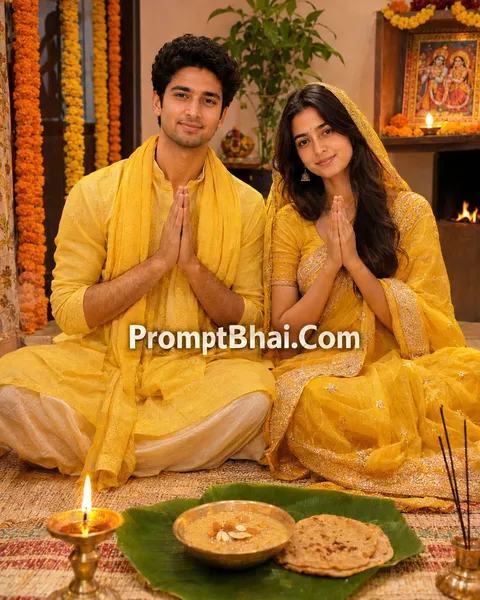
Celebrate the pure devotion of Kharna. Acting as an incredibly peaceful Chhath Puja photo prompt for Gemini, this template generates a cozy evening scene of you sitting on a straw mat with hands folded, praying before the sacred Kharna Prasad.
5. संध्या अर्घ्य – डूबते सूरज का अर्घ्य
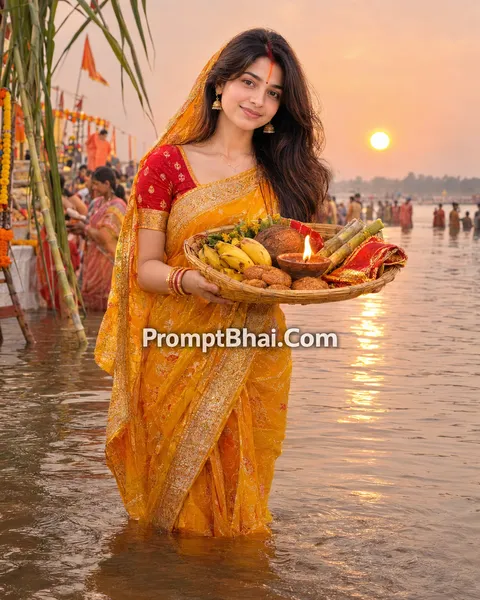
Pay homage to the setting sun! This stunning Chhath Puja sunset photo prompt places you waist-deep in the river, holding a beautiful Daura towards a vibrant orange and purple sky, surrounded by softly blurred devotees.
6. बनारस घाट – दीयों की रात
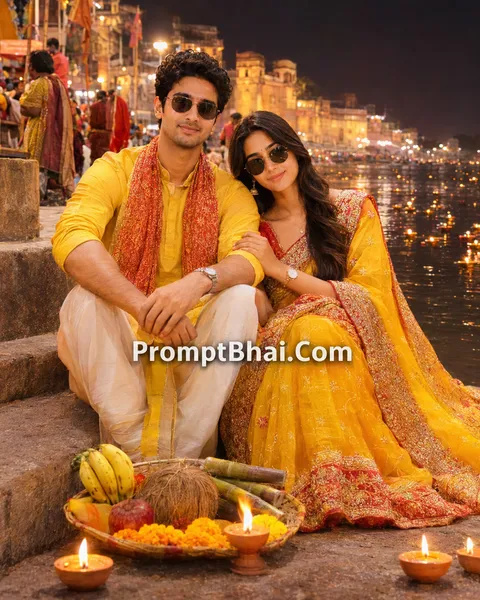
Experience the magical night atmosphere of the ghats! Acting as an amazing Chhath Puja ghat photo editing prompt, this template generates you resting on the stone steps next to the Ganga river, glowing with thousands of floating diyas.
PromptBhai के साथ जुड़ें
रोज़ नए वायरल AI प्रॉम्प्ट, सबसे पहले आपके पास
7. Introduction – Chhath Puja AI Photo Editing Prompts
Welcome to the most deeply rooted and devotional collection for Chhath Puja 2026! This great festival dedicated to Surya Dev and Chhathi Maiya is celebrated with immense purity and rigorous rituals. However, managing the crowds at a River Ghat early in the morning to capture that perfect photo can be extremely difficult. This year, you don't have to worry about missing the perfect shot. By using our exclusive Chhath Puja AI photo editing prompts, you can magically generate breathtaking, ultra-realistic festival portraits right from your phone.
If you have already enjoyed creating stunning visual greetings with our Diwali Prompt Collection or explored our rich Religion Prompt Collection, you will love the cinematic quality of these templates. Our formulas are expertly engineered to guide powerful AI tools like Google Gemini and ChatGPT (DALL-E 3). Whether you want to pose with a Daura and Soop for the Sandhya Arghya at sunset, or showcase the traditional preparation of Thekua in a village courtyard, these templates will perfectly blend your face into the majestic Chhath Puja photo setup without looking artificial.
8. How to Use Chhath Puja Prompts in Gemini & ChatGPT
Creating your customized, highly devotional Chhath Puja picture is an incredibly simple process. You do not need any Photoshop experience. Just follow these four easy steps:
- Step 1: Select Your Favorite Darshan: Scroll through the 6 unique templates provided above. Choose the scene that resonates the most with you—like the serene 'Usha Arghya' at dawn or the quiet devotion of 'Kharna'.
- Step 2: Copy the AI Prompt: Once you have made your choice, click the 'Copy' button located directly below the sample image. The entire text instruction will be securely copied to your device's clipboard.
- Step 3: Upload a Clear Reference: Open Google Gemini Advanced or ChatGPT Plus. Use the attachment icon to upload a clear, front-facing reference photo of yourself or your family. Ensure your face is not obscured by heavy filters or shadows.
- Step 4: Paste and Generate: Paste the copied prompt into the chat box and hit enter. The AI will strictly follow the 'Face Preservation' rules and generate a flawless, cinematic Chhath Puja couple photo prompt or solo portrait within seconds!
9. Tips for Creating Realistic Chhath Puja AI Photos
Handling traditional Indian elements like a 'Bamboo Soop', 'Sindoor', and 'Thekua' requires the AI to be highly precise. Keep these expert tips in mind to ensure your generated image looks like real DSLR photography:
- Do Not Delete the 'Face Preservation' Rule: You will notice every Chhath Puja photo prompt for ChatGPT starts with the strict instruction: "Keep exactly the same number of people... Keep every face 100% identical". Never delete this! This is the core constraint that forces the AI to perfectly map your identity without trying to 'beautify' or change your natural facial structure.
- Let the Lighting Speak: Prompts like 'Usha Arghya' and 'Sandhya Arghya' specifically mention lighting conditions like 'soft pink-blue sky' and 'golden hour light'. If you upload a reference photo taken in bright daylight, the AI will automatically adapt the lighting on your face to match the stunning sunrise or sunset of the generated Chhath Puja in Hindi scene.
- Use the 'Regenerate' Feature: Occasionally, the AI might hallucinate an extra piece of sugarcane or blur the earthen diya. If your first Chhath Puja wishes image prompt result isn't perfect, just hit the 'Regenerate' button using the exact same text. The next attempt is almost always flawless.